Interactive digital learning materials have proven to be particularly effective at all levels of education. Appealing media content specifically promotes learners' attention, encourages them to actively engage with the subject matter, and supports the repetition and retrieval of previously acquired knowledge and skills. Dakora+ enables you to create exactly this kind of interactive content within the app using the H5P tool. You can find out how to integrate H5P into your Moodle in the integration section. Here you can learn more about the H5P tool and its functions.
To create an interactive task, you can use one of the options listed above to access the pop-up window of the “Create new task” button.
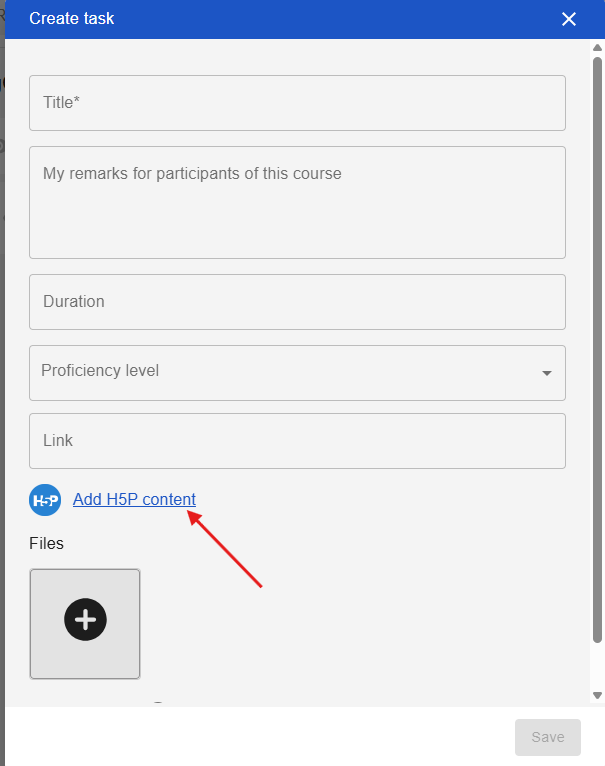
Then click on “Add H5P content.” You can add a description right at the start. Below that are the task types available in the H5P tool, which include interactive videos, various games, and quizzes. Clicking on the “Details” button provides a more detailed description of the individual task types. Clicking on the “Use” button when viewing the detailed description allows you to use the task type.
H5P provides very comprehensive tutorials and application examples, which can be found here for more detailed information. Once the H5P activity is complete, there is a button at the bottom to save the task. This is then transferred to the original pop-up window. Once the remaining information, such as the title and associated competency, has been selected, the interactive task can be saved.