Planning & distribution
Trainers are well placed to estimate how much time learners need for tasks. To support the learning process, clear time frames and the number of assignments per week should be communicated. This helps learners to plan their workload, promotes self-organization, and strengthens their awareness of their own learning process.
In the Dakora+ app, competency-related materials and assignments can be stored in the planning memory. From there, they can be distributed to learners in a targeted manner. After distribution, they appear in the learners' planning memory and can be organized in their weekly schedule.
Planning storage
To do this, open the “Competency grid” tab and select the desired course. The participants in the course are displayed, including the option “All students,” which should be selected.
When you click on the respective competency in the digital competency grid, the associated sub-competencies are displayed. You can then open additional tasks or materials related to this sub-competency. These tasks can be dragged from the competency grid to the planning memory on the right-hand side using the mouse.
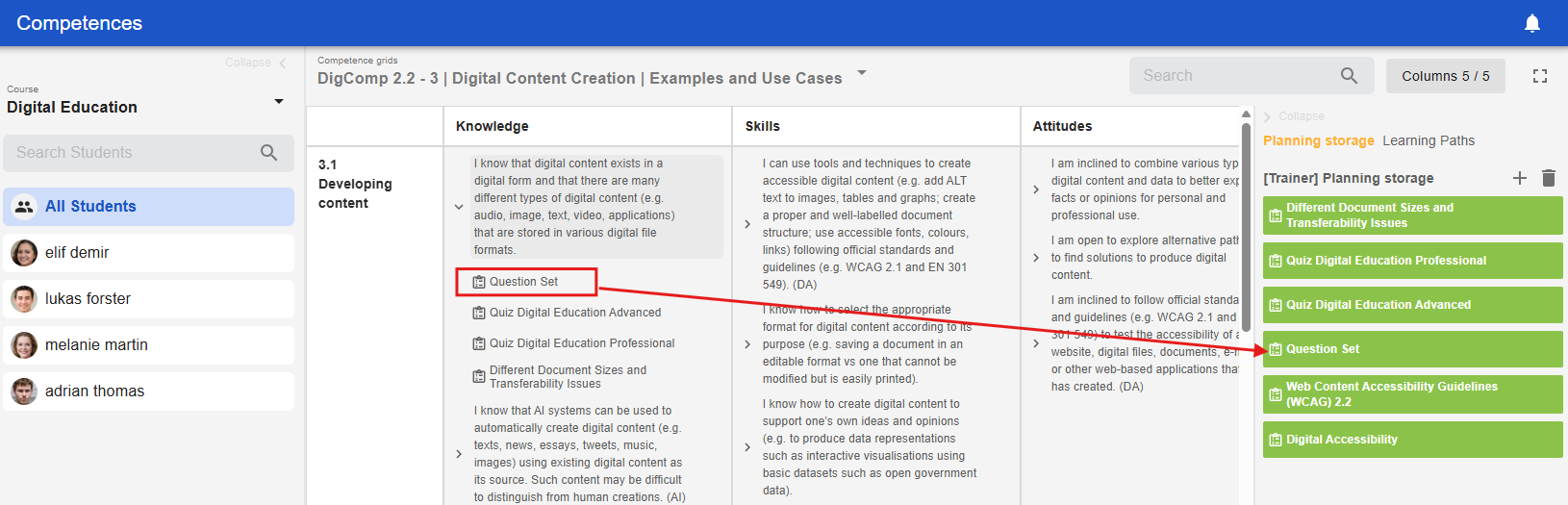
If you have collapsed the planning memory, simply click on the text on the right-hand side of the screen to view it in full again.
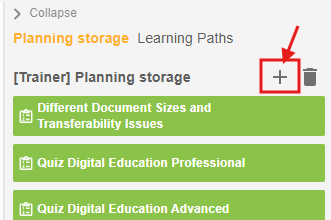
Alternatively, you can click on the plus symbol in the planning memory and select the desired competencies you want to add from the pop-up window.
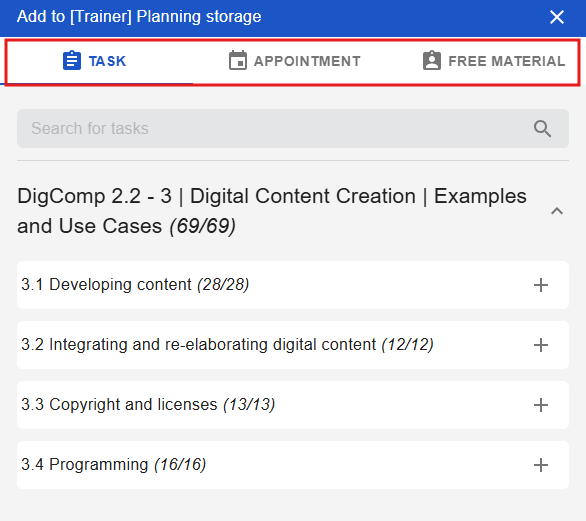
In the same pop-up window, you can schedule appointments and add free materials.
Appointments can refer to individual meetings, meetings with learners and their legal guardians, or general group meetings. If necessary, you can insert a link for video conferences and also enter a suggested time. This appointment is visible in the planning memory like a task.
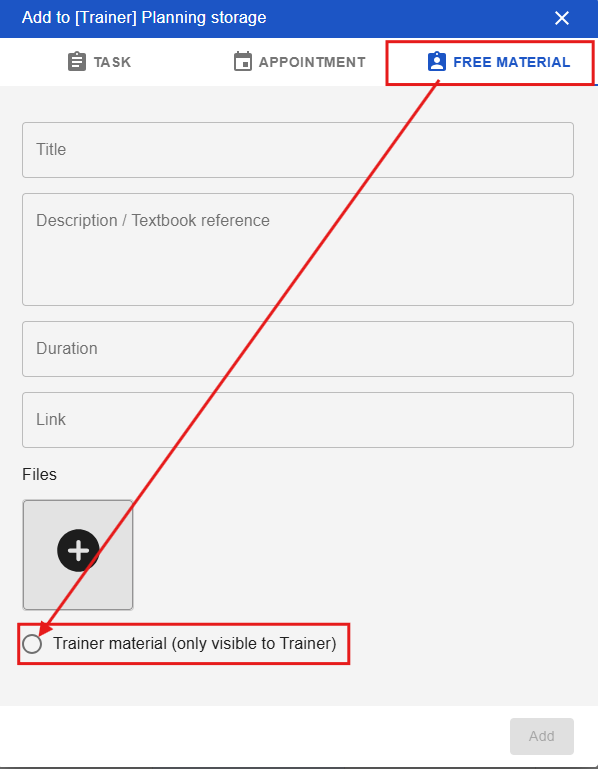
Free material
Free materials are all those additional learning objects that you want to make available to your learners, which do not necessarily have to be linked to competencies. Here, teachers also have the option of checking a box to indicate that the uploaded free material is only visible to teachers and not to learners.